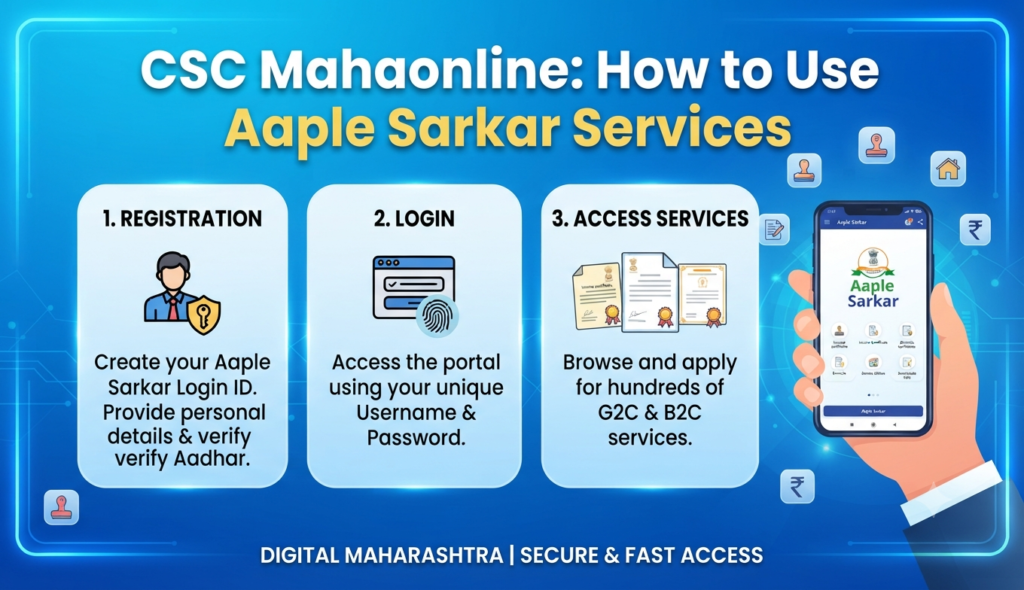
Maharashtra residents who need a caste certificate, income certificate, or domicile proof no longer have to queue at a tehsil office — they can apply online through Aaple Sarkar, the state’s citizen services portal run on the MahaOnline platform. The CSC MahaOnline login and the Aaple Sarkar portal together deliver hundreds of government-to-citizen services under Maharashtra’s Right to Public Services Act.
This guide explains what the portal is, how to register and log in, how to apply for common certificates, and how CSC Village Level Entrepreneurs (VLEs) fit into the picture.
What is Aaple Sarkar / MahaOnline?
MahaOnline is a joint venture between the Government of Maharashtra and TCS that runs the state’s e-governance backbone. Aaple Sarkar (meaning “Your Government”) is the public-facing portal built on it, accessible at aaplesarkar.mahaonline.gov.in. It brings together services from the Revenue, Rural Development, Labour, Health, and other departments so that citizens can apply, pay, and download certificates without visiting a government office.
The related CSC (Common Service Centre) network lets people who lack a computer or internet connection walk into a nearby kiosk, where a trained operator submits the application on their behalf. Both routes lead to the same MahaOnline back office.
How to register on the MahaOnline portal
New users choose one of two registration paths on the Aaple Sarkar homepage:
Option 1: Quick registration with mobile OTP
- Click New User? Register Here.
- Select your district.
- Enter your mobile number and click Send OTP, then verify the code.
- Choose an available username and set a password.
With this method you attach your photo, identity proof, and address proof each time you apply for a service.
Option 2: Full profile registration
Here you upload all your details and documents upfront — applicant details, address, PAN, a photograph, and one identity and one address proof. The advantage is that you never have to re-attach these documents when applying for future services.
Accepted identity proofs include Aadhaar, Voter ID, PAN, passport, and driving licence; address proofs include Aadhaar, electricity bills, property tax receipts, ration cards, and rent agreements.
How to log in (CSC MahaOnline login)
- Open aaplesarkar.mahaonline.gov.in.
- Find the Citizen Login box on the right.
- Enter your username and password.
- Complete the CAPTCHA and select your district.
- Click Login to reach your dashboard.
CSC operators (VLEs) use their own CSC Connect / Digital Seva credentials to access MahaOnline services on behalf of walk-in citizens, which is why the service is often searched as the “CSC MahaOnline login.”
Key services and certificates available
Aaple Sarkar hosts a wide catalogue across departments. The most requested Revenue Department certificates are listed below.
| Certificate / Service | Typical use |
|---|---|
| Caste Certificate | Reservation benefits in education and jobs |
| Income Certificate | Scholarships, subsidies, fee concessions |
| Domicile / Residence Certificate | Proof of residence for admissions and jobs |
| Non-Creamy Layer Certificate | OBC reservation eligibility |
| Senior Citizen Certificate | Age-based benefits and concessions |
| Agriculturist Certificate | Proof of farmer status for land dealings |
Applying for the Maharashtra caste certificate online through MahaOnline follows the same pattern as most other certificates: log in, select the service, fill the form, upload supporting documents, pay the fee, and track the application ID. For a broader look at certificate portals in other states, see our guide to the eDistrict portal and the EWS certificate.
How to verify a certificate’s authenticity
Every certificate issued through Aaple Sarkar carries a barcode and a unique application ID. To confirm a document is genuine:
- Click Verify your authenticated certificate on the portal.
- Select the department, sub-department, and the service applied for.
- Enter your application ID (or the 18-digit barcode value from the certificate).
- Click Go to view the verified record.
This lets employers, colleges, and banks confirm a certificate without contacting the issuing office.
Why this matters for homebuyers in Maharashtra
Certificates like domicile, income, and caste proof are often needed for housing schemes, loan subsidies, and reservation-based allotments. If you are house-hunting in the state — whether in Mumbai, Pune, or Navi Mumbai — keeping these documents ready through Aaple Sarkar saves time when paperwork is requested. The portal also connects to land and revenue records that matter during property due diligence.
Frequently Asked Questions
What is the difference between Aaple Sarkar and MahaOnline?
Can I apply for a caste certificate online in Maharashtra?
What documents do I need to register on Aaple Sarkar?
What is the CSC MahaOnline login used for?
How do I check if my certificate is genuine?
This article is for general information only. Portal steps, service names, and fees can change, so verify current details on the official Aaple Sarkar / MahaOnline portal before applying. Godrej Realty Homes is a property listings portal and is not affiliated with the Government of Maharashtra.